The Nano runs on a tiny onboard 20 mAh lithium polymer battery. This page covers how long it lasts, and how it is looked after and replaced.
In flight mode the Nano spends almost all of its time asleep between samples, which is how such a small cell can keep it armed and waiting on the pad for hours at a time. How long it lasts depends mainly on the energy mode you choose, with efficiency mode 2 (emode2) giving the longest life.
The chart below is a real discharge test of a fully charged Nano left running in efficiency mode 2. It ran for about 4 hours 40 minutes before the voltage fell to around 3 V, the point at which the Nano puts itself into deep sleep to protect the cell. Efficiency mode 1 draws a little more and runs for around 3 hours 40 minutes. Like any lithium battery, the cell also loses a small amount of capacity each time it is charged, and over its working life you can expect it to settle to around 80 percent of its original capacity. For a cell like this that takes a few hundred charge cycles, so it is a slow change you are unlikely to notice across a season or two of flying rather than something that happens quickly.
A full discharge of a fresh battery in efficiency mode 2, from full charge to deep sleep.
To charge the Nano, connect it to any computer or USB charger with a micro USB cable. It begins charging automatically whenever USB power is present, and a small onboard charger manages the whole process and stops at a full 4.2 V on its own, so you cannot overcharge it by leaving it plugged in.
Because the cell is so small, charging is quick: from nearly flat it reaches full in under an hour. While it is plugged in the Nano is in its USB mode, so you can change settings or copy your flight logs off it at the same time as it tops up.
While charging, the status light shows a gentle blue breathing glow, and every few seconds it flashes a colour to show roughly how full the battery is:
Note: To see the battery pulse you must turn the battery switch to ON while the USB cable is connected, if the battery switch is OFF USB mode still works but it can't detect the battery voltage.
Red, under about 30% Orange, around 30 to 60% Purple, around 60 to 80% Green, about 80% to full
These charging colours are separate from the battery flash you see in flight mode, which only appears once the battery is getting low, so do not be thrown by the two using different colours for different things.
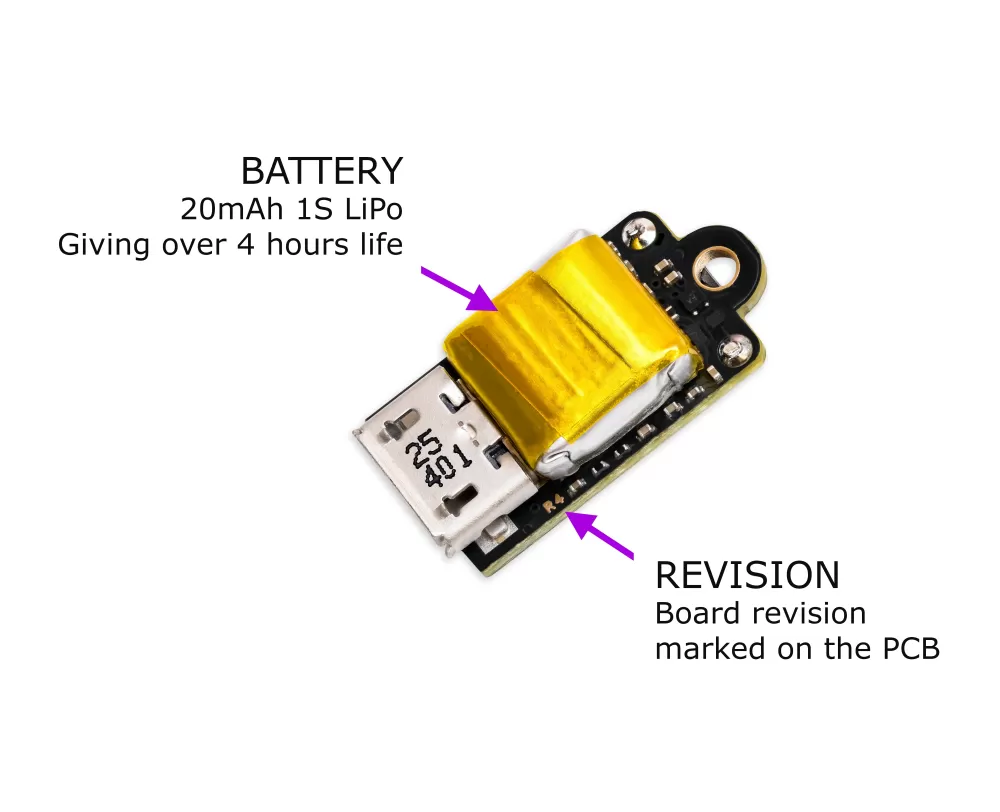
The Nano's onboard 20 mAh battery is not user-replaceable, and we strongly advise against attempting to remove or replace it yourself.
If your Nano's battery life in flight mode, tested in efficiency mode 2 (emode2), falls below 2 hours 30 minutes within 5 years of its date of manufacture, we will replace the battery free of charge. You will need to post your Nano to our UK factory; we will fit a new battery and ship it back to you at our own cost.
This cover applies only to batteries that have degraded through normal use. We are unable to replace batteries on devices that have been misused or physically damaged.
To check your battery life, fully charge the Nano, select efficiency mode 2 (emode2), switch it on in flight mode, and time how long it runs before it puts itself into deep sleep, which it does automatically at around 3 V to protect the battery. If that time is under 2 hours 30 minutes, please contact us at info@modelrockets.co.uk. When you are not using the Nano for a while, a lithium cell lasts longest stored at around half charge rather than full or empty. Because the Nano still draws a small current even in deep sleep, top it back up to roughly half now and again during long storage so it does not slowly drain down flat, and avoid leaving it sitting fully charged or fully empty for months on end. An easy way to judge the charge level without connecting it to a computer is the battery flash in flight mode: switch the Nano on without USB and watch the short coloured flash that follows the status flashes. No extra colour means it is above about half, a blue flash means it is in the 30 to 50 percent range, which is the ideal level to store it at, and an orange or red flash means it is below about 30 percent, so it is worth a quick top up first. The full meaning of these colours is on the flight mode page.
If the battery ever appears swollen or deformed, becomes unusually hot, or gives off an odour, stop using the Nano straight away and contact us. Do not run the discharge test on a battery that may already be faulty.